Deliverables:
Mobile website
Timeframe:
April - May 2024
Good coffee
made easy
Designing an e-commerce platform with a personalized buying journey
ABOUT
Kava is an e-commerce platform that enhances the coffee experience with expert guidance, educational resources, and curated products for every step of the coffee journey.
THE PROBLEM
Research identified a significant gap in the coffee e-commerce market: existing platforms often overwhelm users with complex terminology, making it challenging for the average consumer to make informed purchasing decisions.
THE SOLUTION
The challenge is to bridge this gap by creating an interface that educates users on coffee varieties and brewing methods, empowering them to confidently choose the perfect brew.

To address this challenge, we defined the user story:
As a coffee lover, I want to be able to purchase coffee from an e-commerce website easily, search for products, and view their details so that I can make informed purchase decisions.


TYPOGRAPHY
Fraunces is a display, "Old Style" soft-serif typeface inspired by the mannerisms of early 20th century typefaces.
DM Sans is a low-contrast geometric sans serif design, intended for use at smaller text sizes.
LOGOTYPE

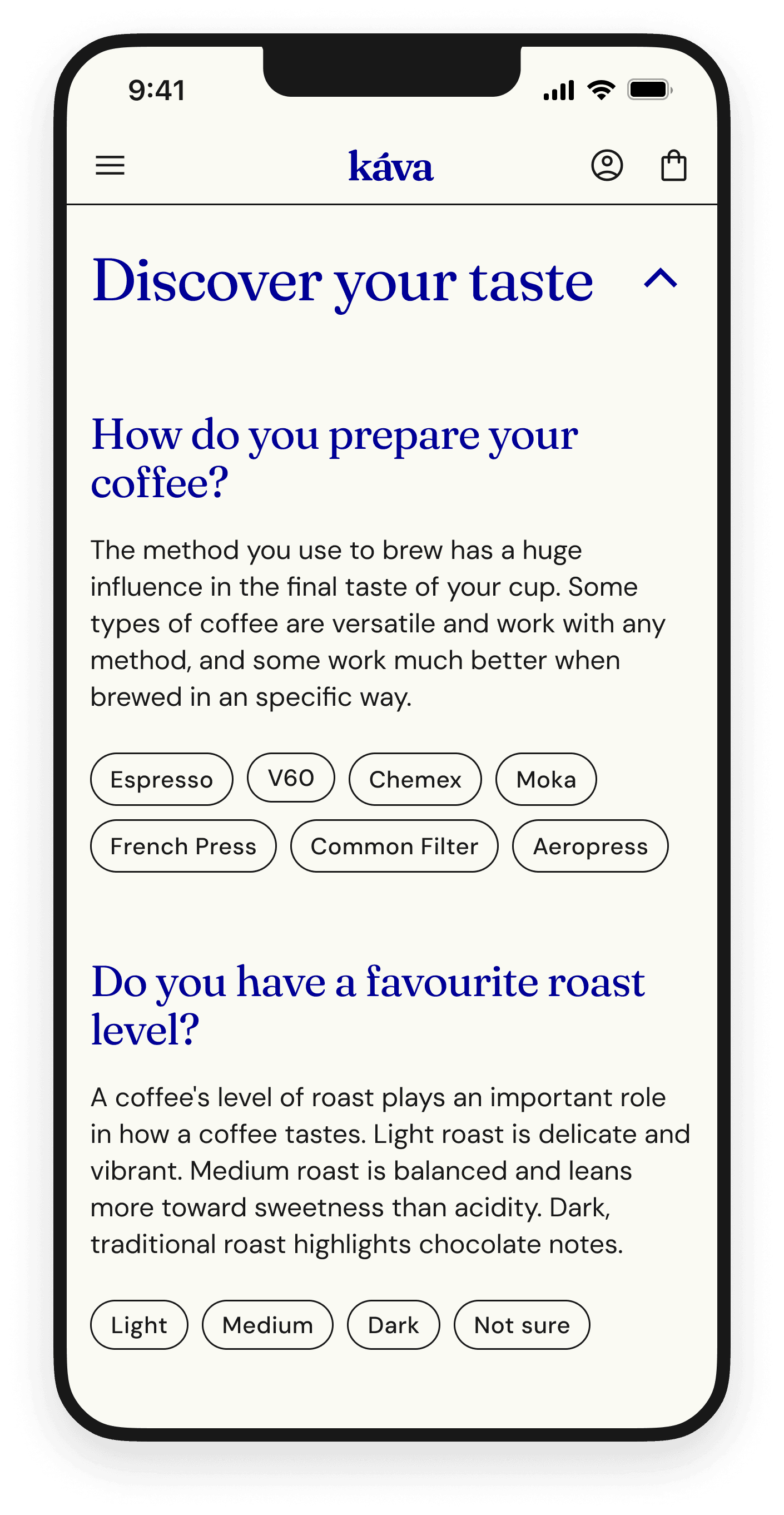
“Discover your taste” filter in form of 4 questions that guides the user through the smooth shopping experience.
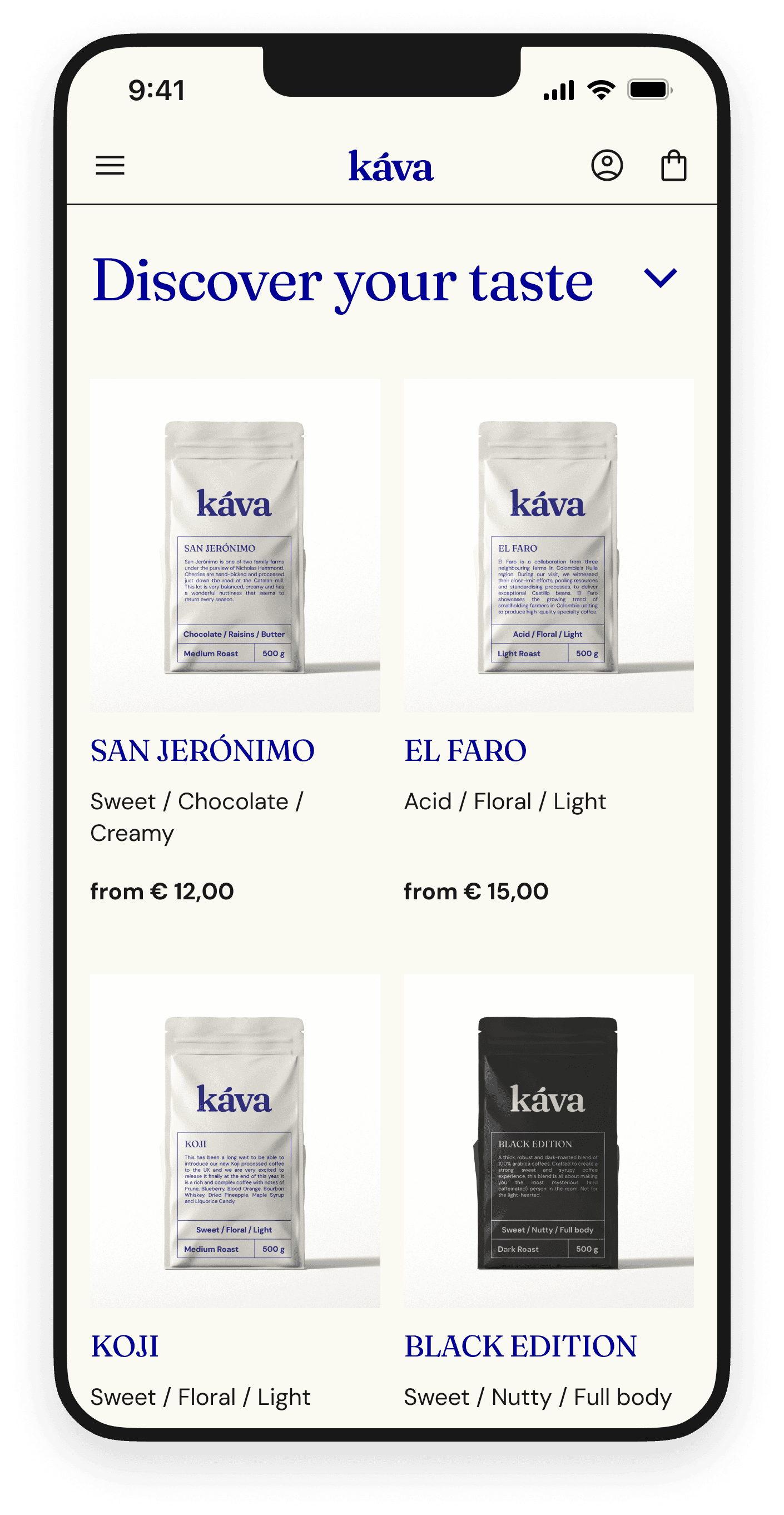
PRODUCT LISTING PAGE
This tool has been integrated directly into the product listing page, ensuring that users have immediate access to personalized guidance without navigating away from their browsing session.
DROPDOWN FILTER
The filter serves as an interactive solution, guiding users through a series of questions designed to identify their specific preferences, such as roast level, flavor profile, and brewing method.
With each question answered, the user is provided with clear explanations to aid in their decision-making process.
PERSONALISED PRODUCT LIST
Upon completion of the quiz, the user is presented with a personalized list of coffee products that precisely match their identified needs and taste preferences.
Their preferences are saved in the user profile and can be updated from there.

USABILITY TESTING

USERS WERE ASKED TO COMPLETE TWO TASKS:
01
Purchasing a coffee that would match their taste.
90% of users completed the 1st task
02
Updating their coffee preferences in the user profile.
100% of users completed the 2nd task
dropdown filter is not easily accessible
dropdown content does not fit in the viewport
overwhelming amount of text presented on a single page
created a module with a short description to make the filter feature stand out
Before

After

substituted dropdown with an overlay
distributed the questions over several screens
added illustrations to break the heavy block of text
Before

After

GRIND TOOLTIP
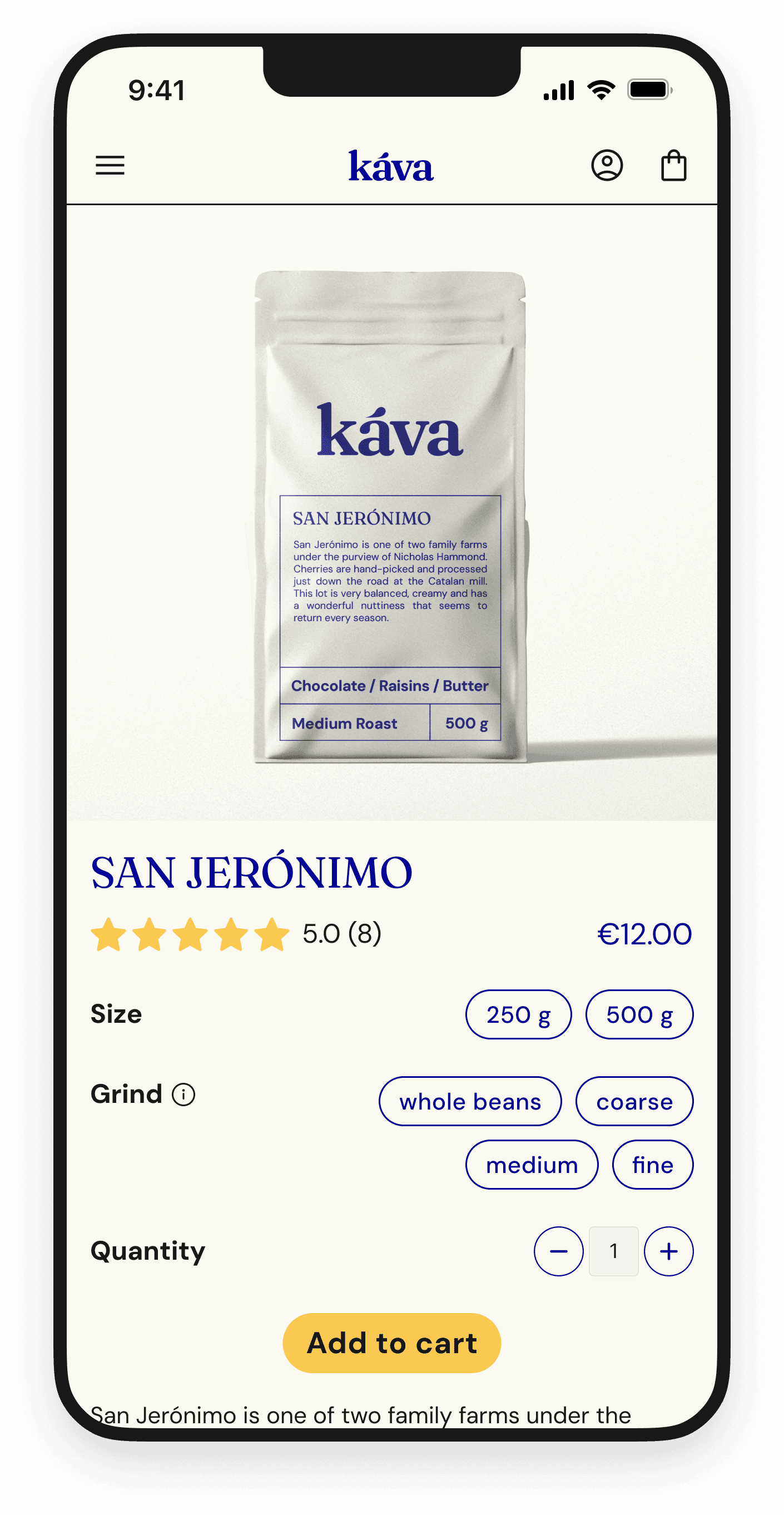
Addition of a tooltip helping the user to choose the right grind based on their brewing method


Addition of “Other products” section to the personalised screen so that users can easily browse all products
FINAL SCREENS